

Introduction
In the past year, we’ve seen significant advancement in coding tooling in the AI spaces. Vibe coding has became mainstay, and many large and small organizations are starting to adopt building with AI. A developer can easily generate a design specification using spec-kit(GitHub – github/spec-kit: 💫 Toolkit to help you get started with Spec-Driven Development ), then with their choice of AI coding tool, prompt their way towards an application.
With this said, we are seeing a difference in many of the commercially available models in terms of capabilities, and as a developer, you’d like to get the best of both worlds while maintaining your token cost. Also, as the technology is still in quick advancement stage and mistakes can be made, it’s better to split duty so different models can work on different things, validating with each other, and produce a more robust outcome for developer.
With that said, it takes somewhat complex of a setup to try doing this initially. I attempted using N8N to hook up my local code repo to different agents for workflow purposes, but management became a hassle, until I ran into an open source project called Zen MCP.
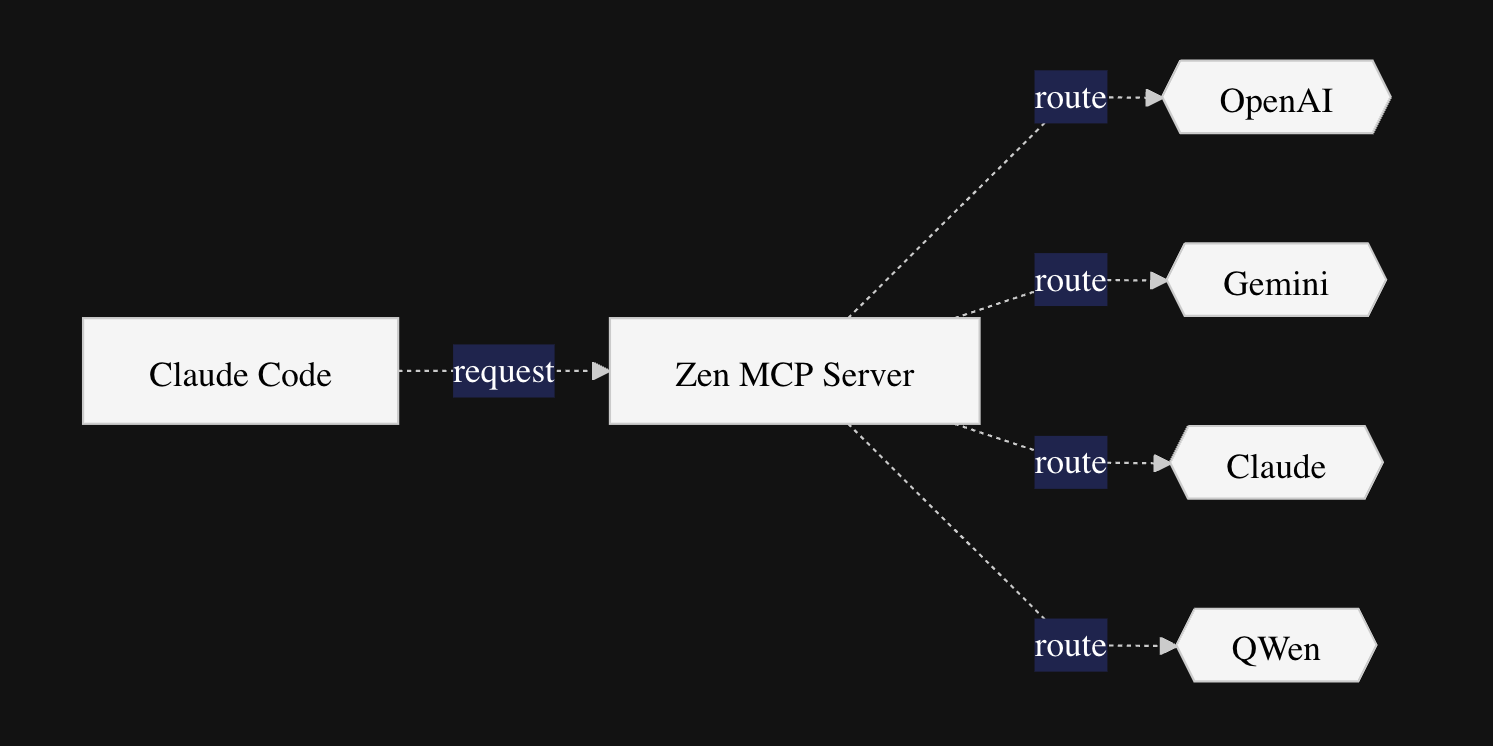
With Zen MCP’s native capabilities, i can fire off request to different models (as long as I have them setup), have them chat with each other, validate outcome, and only provide the level of detail that I required. It basically built an on demand workflow but never left my dev CLI!
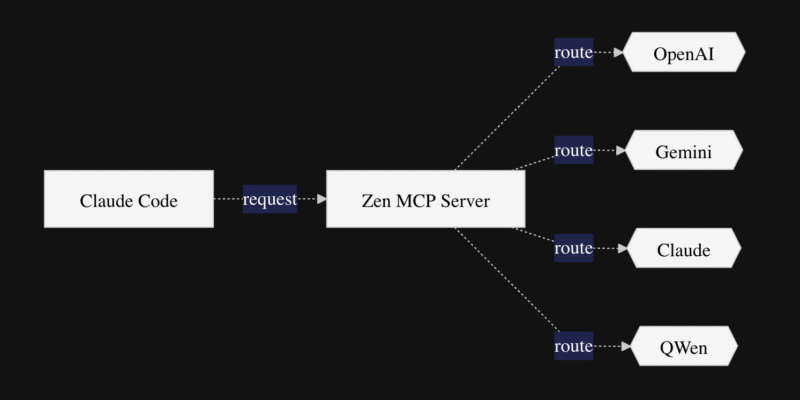
The software is written in python, easy enough for me to digest and make changes, but so far I have not had any issues, the developer experience has been flawless.
Getting Started
My Setup/Toolchain
-
VSCode(terminal) on MacOS
-
Claude Code already setup
-
Gemini CLI already setup
-
Openrouter(optional)
Installation
Installation of Zen MCP Server is simple. You can utilize UVX(Using tools | uv ) or just install via a simple git clone. I opted for a git clone.
This sets up pretty much everything you need, from a environment file (.env) at the zen-mcp-server folder level, to copying any existing API keys over, in my case, my gemini API keys stored in my local environment, and configure my Claude Code to add the mcp server in there. It also integrates into other tooling like Codex CLI, QWen CLI if you have them setup already.
If not, then after you setup your CLI or coding tool, you should go into the folder you’ve cloned from github above, zen-mcp-server, find .env file, and open it up editor of your choice. Add your key in there.
The priority list would be
-
Provider direct (i.e. OpenAI, Gemini)
-
OpenRouter(if provider key is found)
So if you are using openrouter, have credits in there, just leave everything else blank and add OpenRouter key.
After CLI setup, and you’ve added your key there, go back to re-run the setup script.
After successful installation, you can simply check if Claude (or gemini cli) is recognizing the MCP server. Go to your terminal, and access claude or gemini. you can see they should have zen mcp connected.
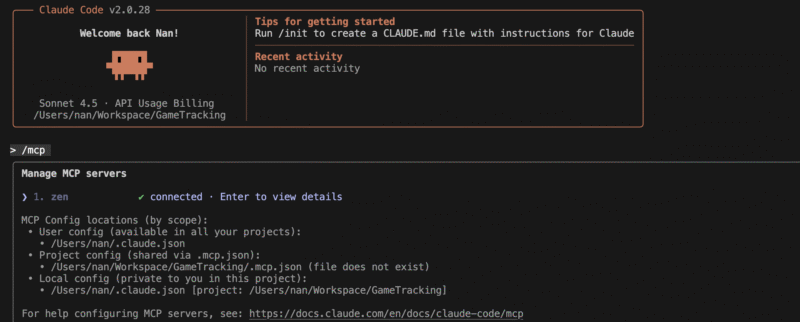
Confirming the Zen server is setup, we can proceed to utilizing it!
Utilization
Scenario 1
Now on to the fun part. Utilizing it as if you are just vibe coding, with just a bit of context to “use Zen”.
For example, I’d like Claude to understand the capability, then ask gemini 2.5 pro to validate what’s been generated, as well as create me some documentation since I prefer the 2.5 pro’s context window size(and that there’s a free version)
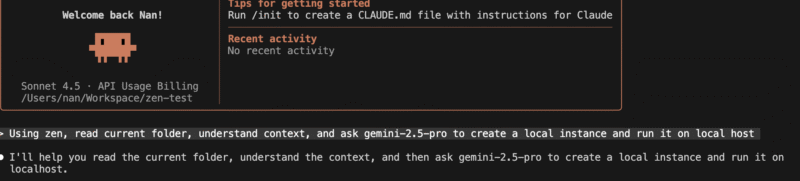
So I used Claude’s model to do context gathering, while firing off the request to gemini-pro-2.5 to do the actual implementation. Best part, I’ve not even left the claude CLI and saved some token cost while utilizing a model I trust for validation.
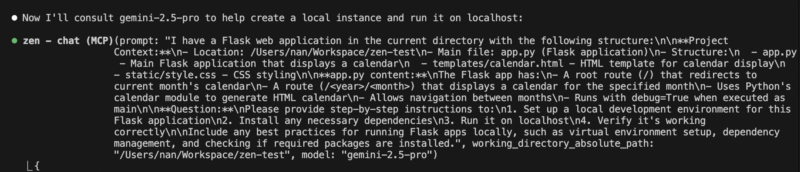
This will proceed and return the results to you, where you can choose to deploy, generate test or more, you can get claude to double check the results as well to improve accuracy and reduce potential hallucination.
Scenario 2
Zen also provides additional features that is disabled by default. Let’s try one of these feature, specifically, the secaudit feature.
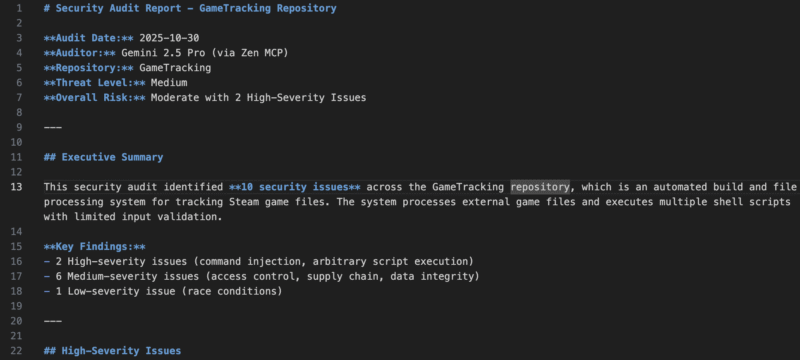
I’ve decided to ask zen, utilizing Gemini’s large context window, to do a security audit with the OWASP Top 10 analysis with the secaudit tool. First, enable the feature by removing secaudit and docgen from the DISABLED_TOOLS flag in your ~/.claude.json file, under the
Prompt via claude to do a security audit on the current repo. Claude will be gathering information, then sending the information to Gemini to do some “deep analysis”.

After prompting it further to go deeper, we received more information about the security of the repo, which we then asked zen to generate a document in markdown file.

Additional Features
As you can see, I’ve utilized two models with some of Zen’s built in features, but that’s not the limitation. You can have many different models, such as xAI, openAI, QWen and more to interact with each other with zen’s additional features.
Wrapping Up
In a situation where developers have preferences of task for different models based their capability and cost, Zen can be a great tool in the toolbox to coordinate between models, separate duties and tasks, validate code, tests, documentation, and get the best of all the models. With the simple installation, configuration and integration into tooling like Claude, Windsurf or Cursor, any developer can take advantage of it in minutes.